 +
+
Huawei HEMS
Use Zerofy as your Huawei HEMS. Monitor solar production, optimize self-consumption, and automatically control EV chargers, heat pumps, and smart plugs.
Download Zerofy Plans and Pricing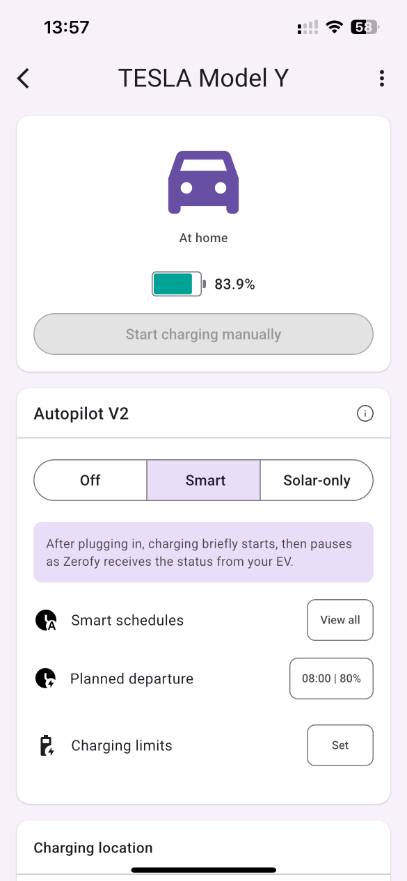
Huawei HEMS: TL;DR
Zerofy transforms your Huawei PV system into a complete Home Energy Management System (HEMS). Monitor production, optimize self-consumption, and control your connected devices – all from one app. No additional hardware required.
About Huawei
Chinese manufacturer (Huawei Digital Power, Shenzhen). Homes typically have a SUN2000 hybrid inverter, either the single-phase L1 (2–6 kW) or the three-phase M1 (3–10 kW), with a LUNA2000 battery, plus optional optimizers and the SmartGuard backup box. Its monitoring app is Huawei FusionSolar.
What is a Home Energy Management System?
A HEMS (Home Energy Management System) helps you get the most out of your solar installation. It monitors your PV production in real-time and automatically steers connected devices like EV chargers, heat pumps, and smart plugs to maximize self-consumption.
With Zerofy as your Huawei HEMS, you can:
- Monitor real-time solar production and home consumption
- Optimize self-consumption through intelligent device control
- Save on electricity bills with dynamic tariff integration
- Track your energy independence and CO₂ savings
Key Features
Real-time Monitoring
See live data from your Huawei inverter: current production, consumption, grid feed-in, and battery status.
Smart Autopilot
Automatically control EV charging, heat pumps, and appliances based on solar surplus.
Dynamic Tariffs
Integrate electricity spot prices (Tibber, aWATTar, etc.) to optimize for cost savings.
What Huawei offers on its own
Before connecting Huawei to Zerofy, it helps to know what Huawei offers on its own:
- EV charging: Huawei’s own SCharger (7 kW single-phase / 22 kW three-phase) has a “PV preferred” mode in FusionSolar and can switch down to one phase for charging from about 1.4 kW. Surplus charging needs a Huawei inverter with SDongle (Modbus TCP enabled) and power meter, or the SmartAssistant (formerly EMMA) energy manager, which also handles one third-party charger such as Keba KeContact P30 or Mennekes AMTRON.
- Heating: The SmartAssistant (EMMA) switches one SG Ready heat pump directly through its DO dry contacts or an external relay, and a second one through a Shelly. It also controls Vaillant aroTHERM plus via EEBUS and the Askoheat+ heating rod via Modbus TCP.
- Other loads: Up to 20 Shelly devices can be connected to the SmartAssistant and switched on surplus from FusionSolar.
How It Works
- Connect your Huawei system – Zerofy connects to Huawei FusionSolar with the login of a FusionSolar owner account; the older Northbound API account still works as a legacy option.
- Add your devices – Connect your EV, charger, heat pump, or smart plugs
- Enable Autopilot – Let Zerofy automatically optimize for solar self-consumption
- Track your savings – Monitor your energy independence and cost savings
Good to know: Installer and company accounts don’t work, and the owner invitation can only be sent from the FusionSolar smartphone app, not the web portal. If you use the legacy Northbound API, create a dedicated account for Zerofy, because sharing it with other services can cause data gaps.
Why Choose Zerofy for Huawei HEMS?
| Zerofy HEMS | Hardware-based HEMS | |
|---|---|---|
| Hardware cost | None | €500-1000+ |
| Installation | App download, 5 minutes | Professional electrician |
| Monthly cost | Free or €7/month (Plus) | Varies |
| Device support | 60+ brands | Limited selection |
| Updates | Automatic, free | Manual/paid |
Ready to optimize your Huawei solar system?
Start with Zerofy for free or upgrade to Plus for advanced features.
Download Zerofy White-Label for Installers